Sale Price:
$5.99
Original Price:
$14.99
How our Quinceañera Planner can help you
The Ultimate Quinceañera Planner is a Google Sheets template with organized tabs, auto-calculating formulas, and every cultural tradition built in — from padrinos to the vals to the last doll. Just open it, make a copy, and start planning her perfect day with pre-loaded tasks, budget tracking, guest RSVPs, and a day-of timeline you can share with all your vendors, all in one self-contained management sheet!
How to Access Your Planner
Getting started takes less than 2 minutes:
Step 1: Download your file.
After purchase, you'll receive a PDF guide. Download it and open it on your computer, tablet, or phone.
Step 2: Click the Google Sheets link inside the PDF.
This opens your planner in view-only mode. You'll see all the tabs at the bottom — but you can't edit yet. That's normal!
Step 3: Click File → "Make a copy."
This creates YOUR personal version saved to your Google Drive. You can rename it anything you like (we suggest your daughter's name!).
Step 4: Start planning!
Go to the Dashboard tab, enter her name, the event date, and your total budget. Everything else updates automatically.
Having issues copying the file? Not a problem! Contact us on our FB page https://www.facebook.com/QuinceanerasOnABudget/ or email us at xvonabudget@gmail.com
That's it — you're ready to go! 🌸
What You Need
• A free Google account (Gmail)
• Any device — computer, tablet, or phone
• The free Google Sheets app if using mobile
Sharing with a Co-Planner
Want to plan with your hubby, sister, or comadre? Open your copy, click the blue "Share" button in the top-right corner, enter their email, set them as "Editor," and hit send. You'll both see updates in real time.
Frequently Asked Questions
Can I customize it?
Yes! It's your copy — add tabs, rename them, change colors, delete what you don't need, add extra rows. Make it yours.
Will my edits affect anyone else?
No. Your copy is completely independent and private.
Can I use this on my phone?
Yes! Download the free Google Sheets app, sign in with the same Google account, and your planner will appear in your recent files.
Can I print certain tabs?
Absolutely. The Day-of Schedule and Shot List are especially great printed — go to File → Print or File → Download as PDF.
How our Quinceañera Planner can help you
The Ultimate Quinceañera Planner is a Google Sheets template with organized tabs, auto-calculating formulas, and every cultural tradition built in — from padrinos to the vals to the last doll. Just open it, make a copy, and start planning her perfect day with pre-loaded tasks, budget tracking, guest RSVPs, and a day-of timeline you can share with all your vendors, all in one self-contained management sheet!
How to Access Your Planner
Getting started takes less than 2 minutes:
Step 1: Download your file.
After purchase, you'll receive a PDF guide. Download it and open it on your computer, tablet, or phone.
Step 2: Click the Google Sheets link inside the PDF.
This opens your planner in view-only mode. You'll see all the tabs at the bottom — but you can't edit yet. That's normal!
Step 3: Click File → "Make a copy."
This creates YOUR personal version saved to your Google Drive. You can rename it anything you like (we suggest your daughter's name!).
Step 4: Start planning!
Go to the Dashboard tab, enter her name, the event date, and your total budget. Everything else updates automatically.
Having issues copying the file? Not a problem! Contact us on our FB page https://www.facebook.com/QuinceanerasOnABudget/ or email us at xvonabudget@gmail.com
That's it — you're ready to go! 🌸
What You Need
• A free Google account (Gmail)
• Any device — computer, tablet, or phone
• The free Google Sheets app if using mobile
Sharing with a Co-Planner
Want to plan with your hubby, sister, or comadre? Open your copy, click the blue "Share" button in the top-right corner, enter their email, set them as "Editor," and hit send. You'll both see updates in real time.
Frequently Asked Questions
Can I customize it?
Yes! It's your copy — add tabs, rename them, change colors, delete what you don't need, add extra rows. Make it yours.
Will my edits affect anyone else?
No. Your copy is completely independent and private.
Can I use this on my phone?
Yes! Download the free Google Sheets app, sign in with the same Google account, and your planner will appear in your recent files.
Can I print certain tabs?
Absolutely. The Day-of Schedule and Shot List are especially great printed — go to File → Print or File → Download as PDF.

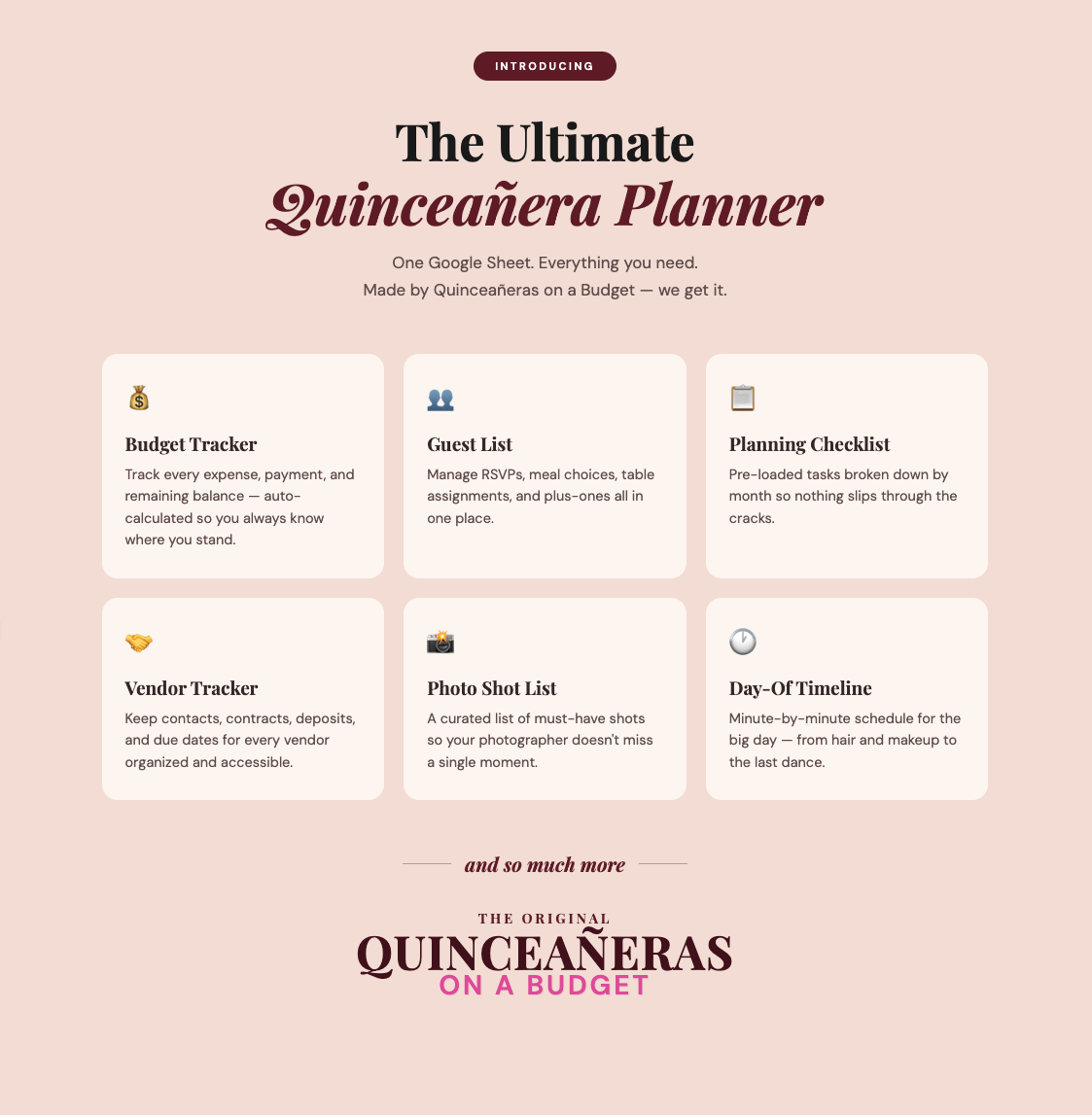 Image 1 of 7
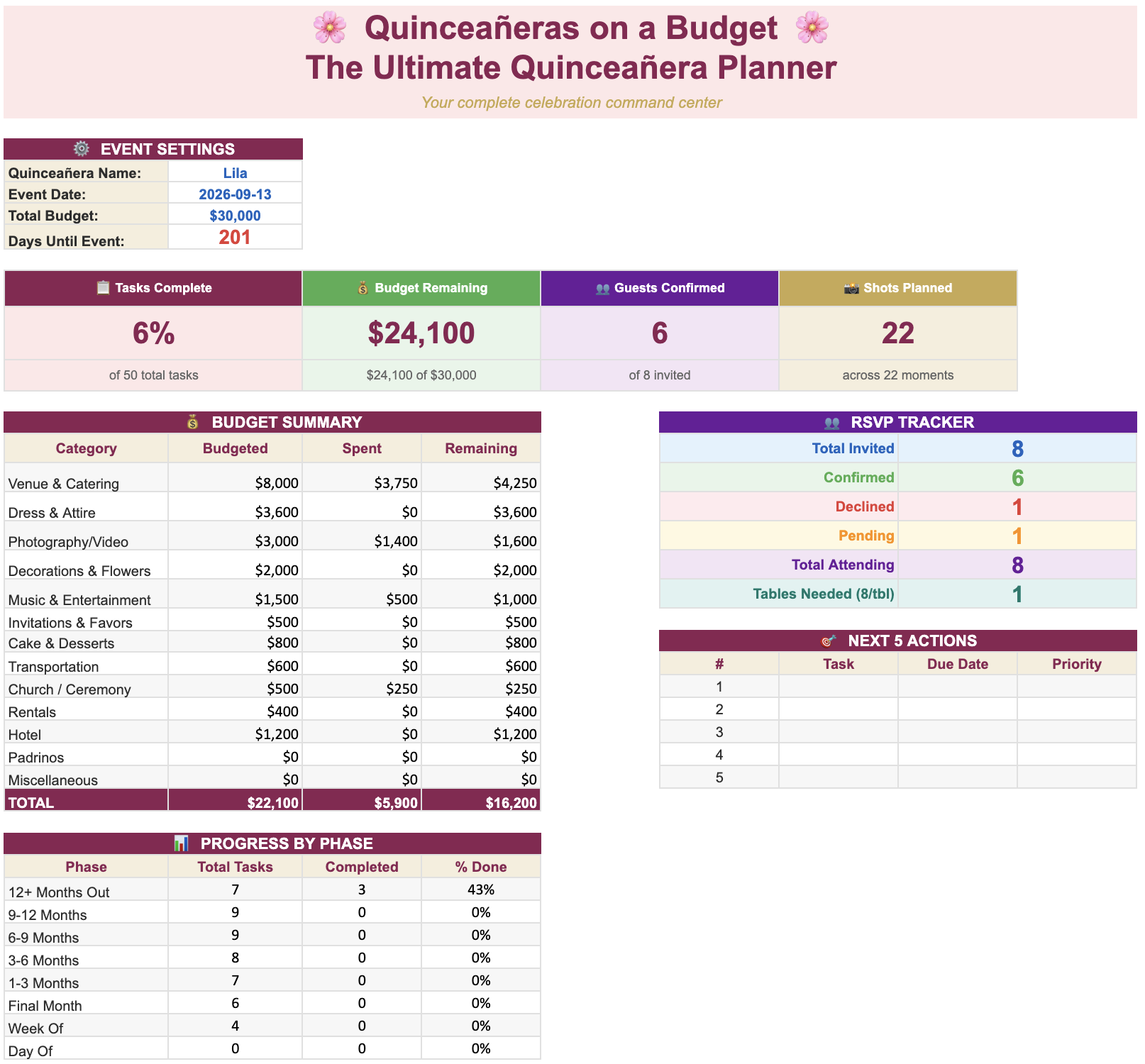 Image 2 of 7
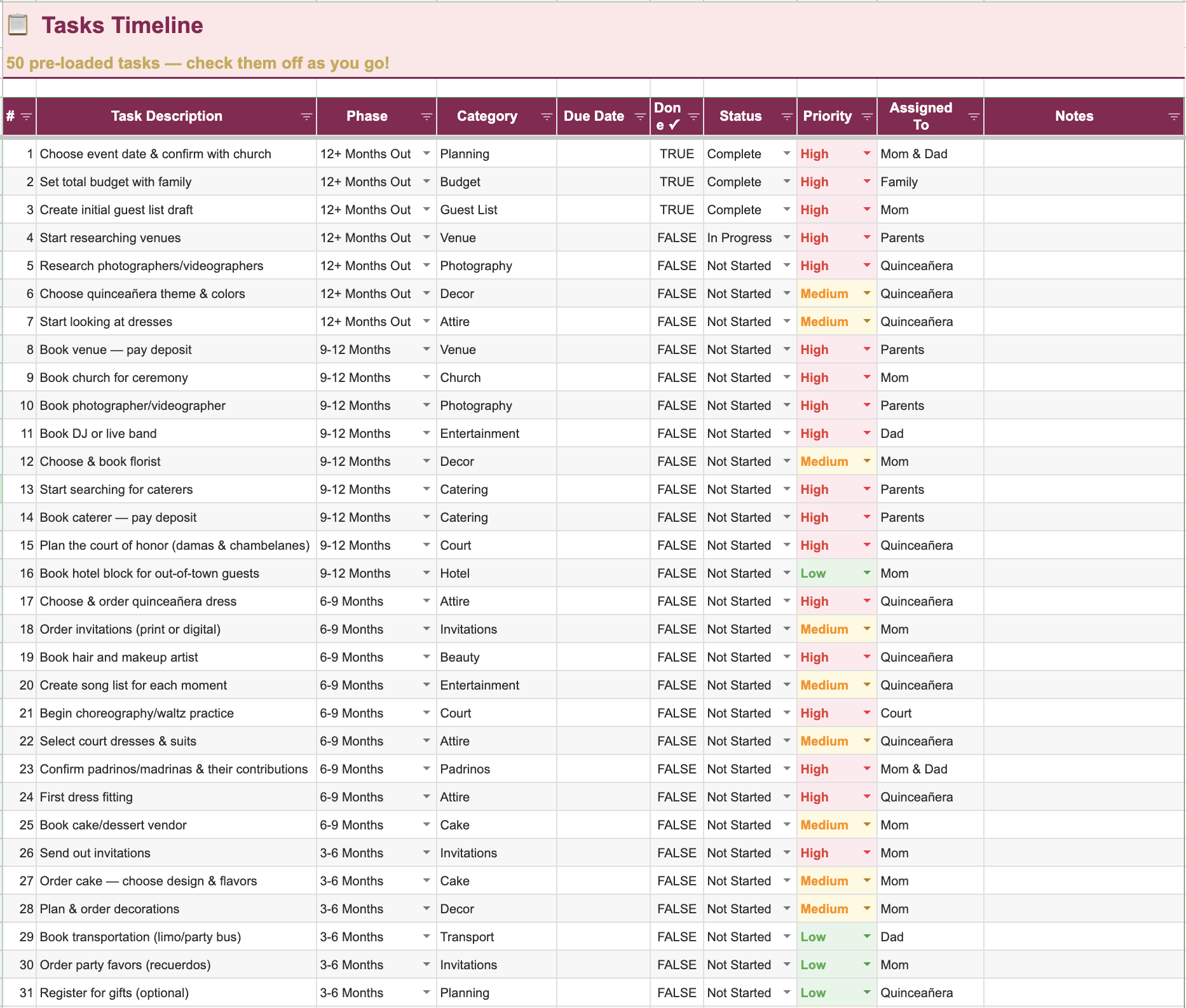 Image 3 of 7
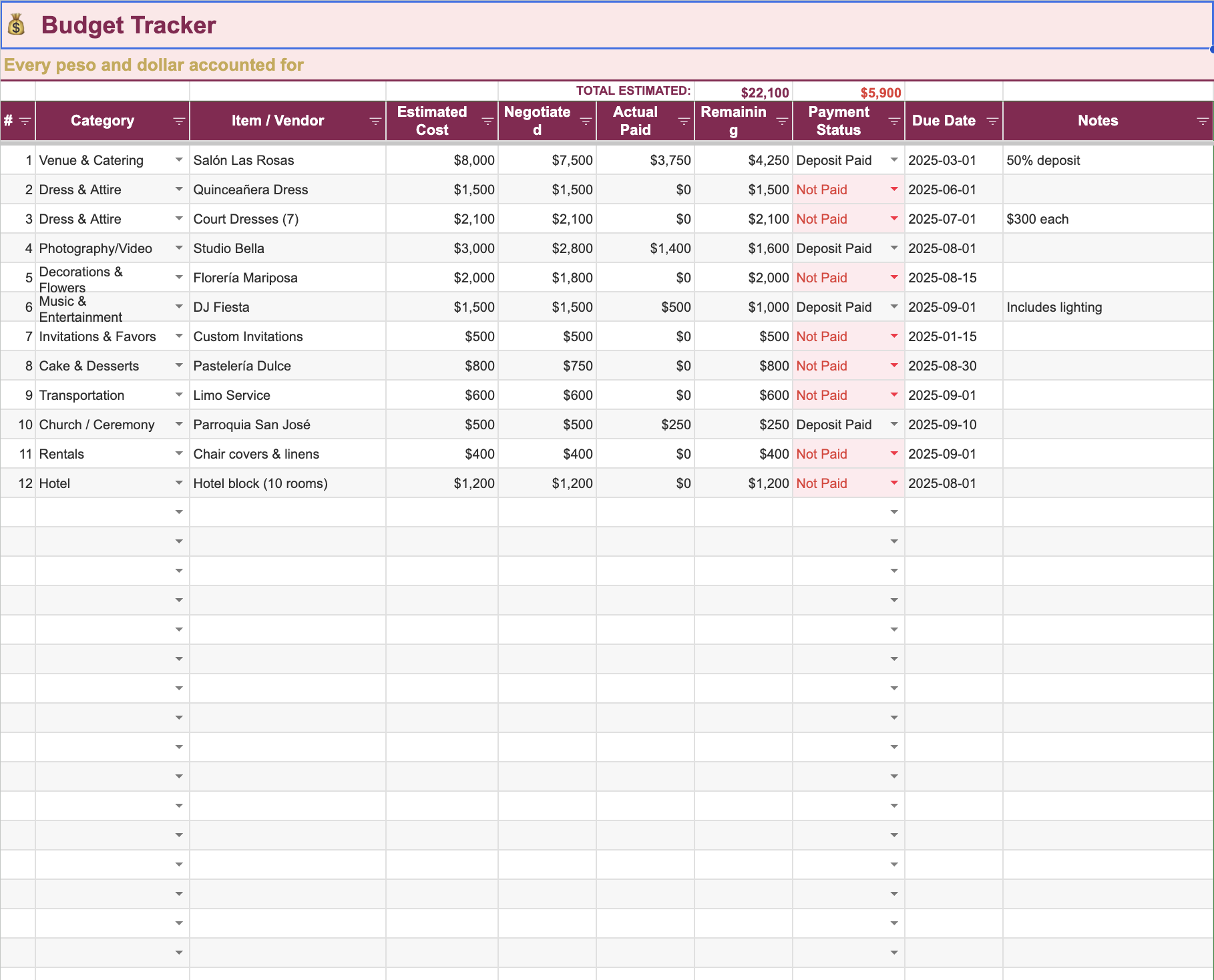 Image 4 of 7
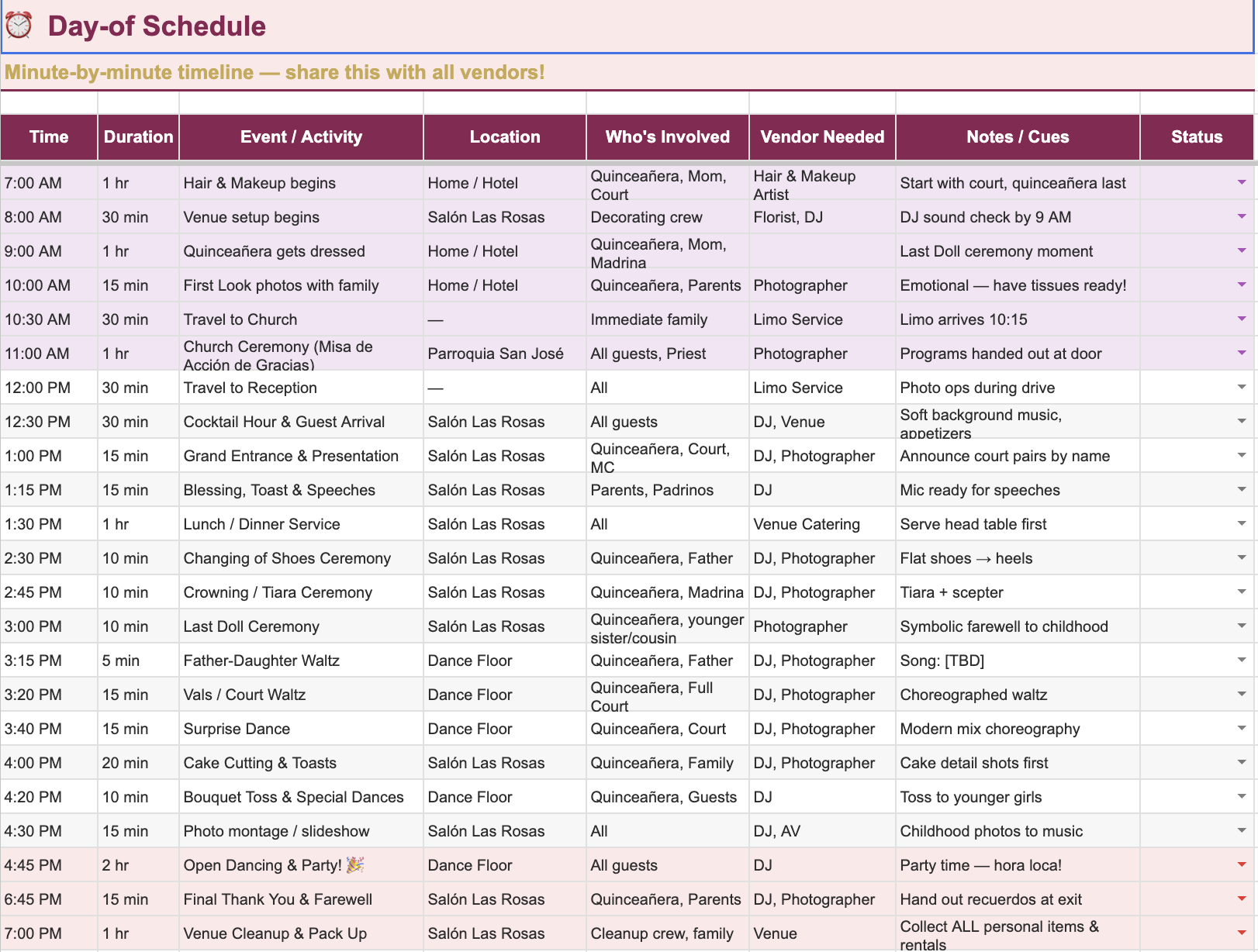 Image 5 of 7
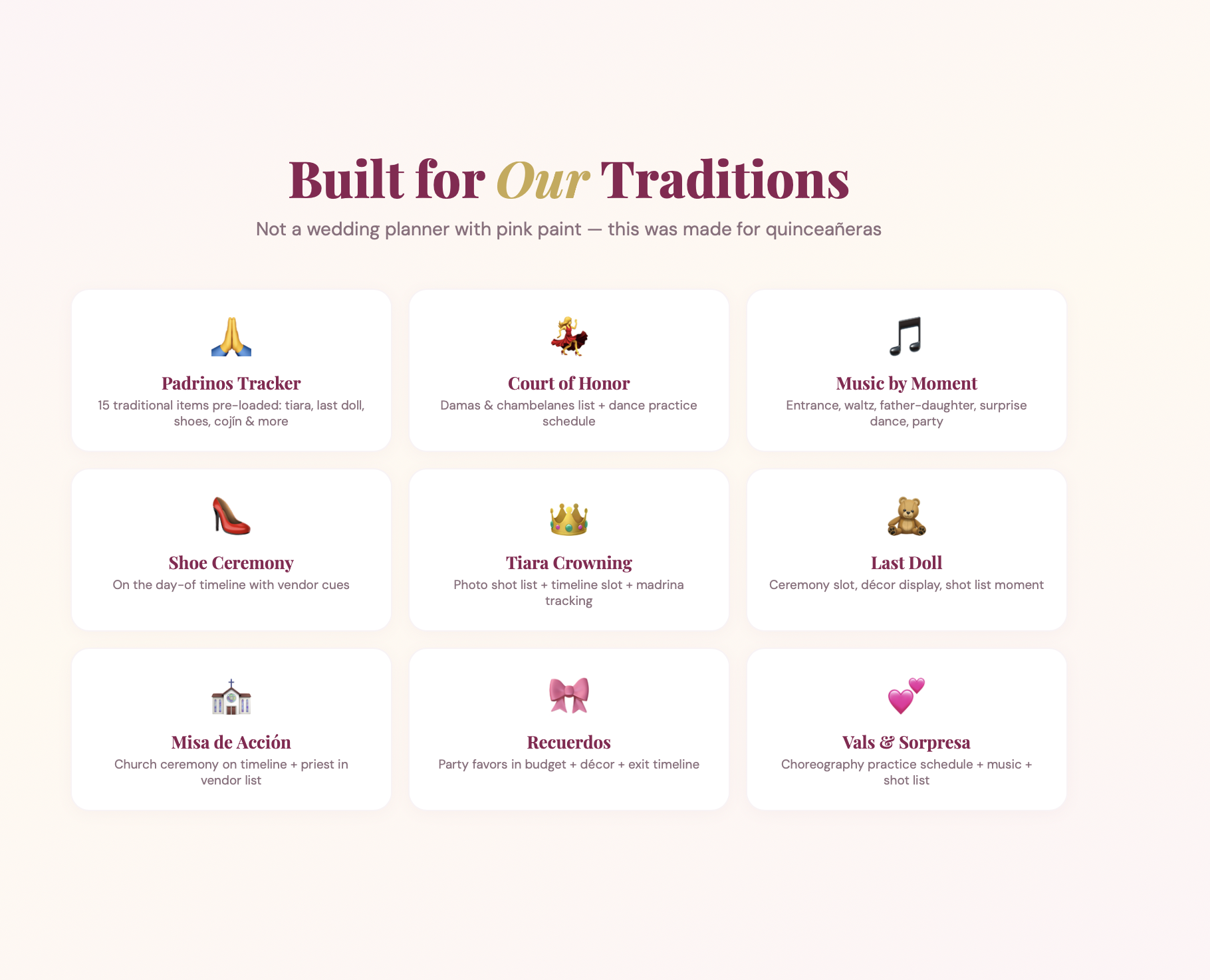 Image 6 of 7
 Image 7 of 7